UI designer
Social support app
UX designer
Rehabilitation
Mobile app
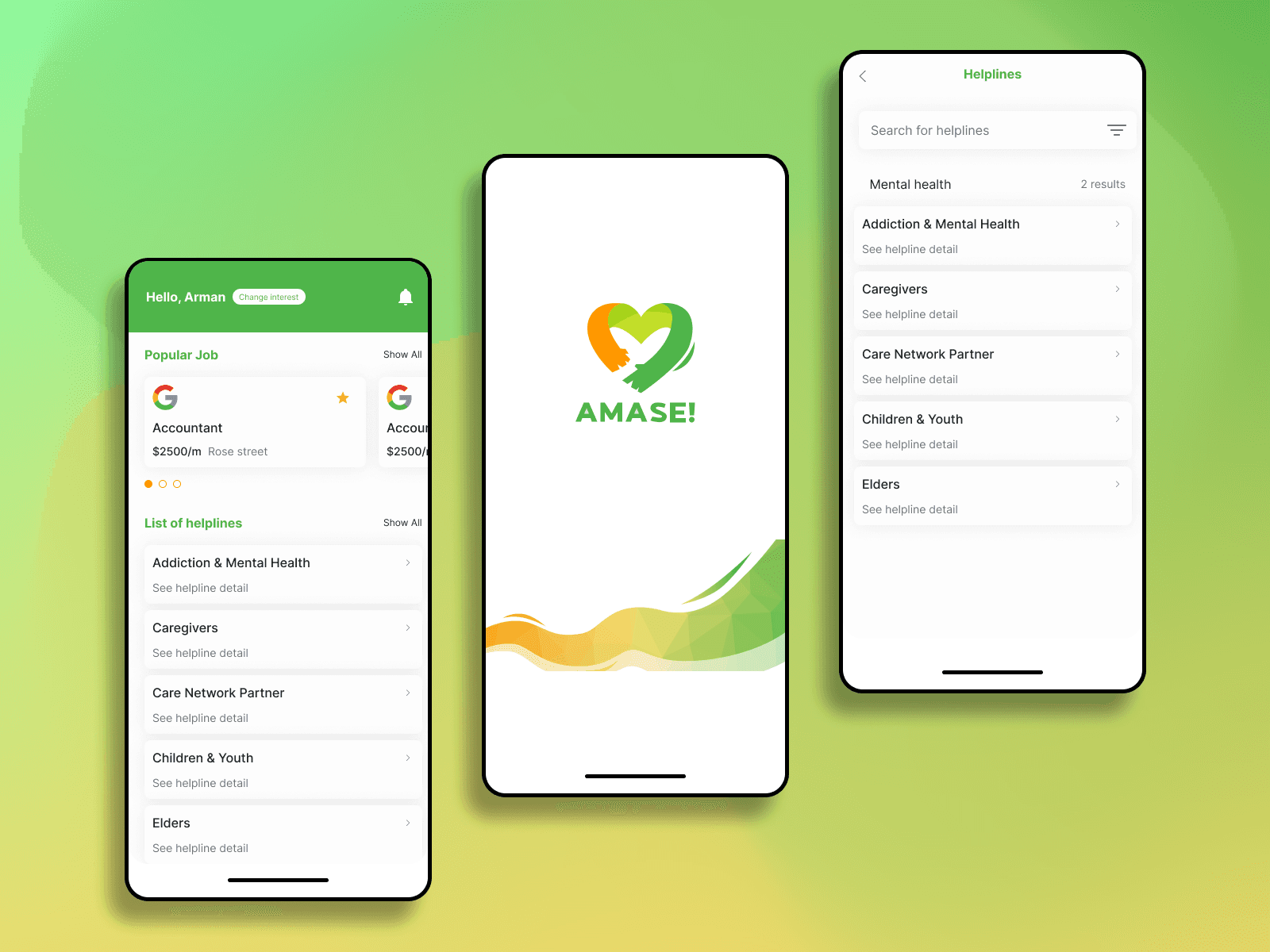
Project supervised by social support/ACTS in Singapore
Figma, Adobe XD
March, 2023 - May, 2023
UX research, UI design, Ideation
Product designer
ACTS - Social Support App focuses on supporting individuals who have faced incarceration and are working to rebuild their lives. The app addresses the challenges of overcoming societal stigma and adapting to a world that often judges them. It offers targeted training, certifications, and personalized consulting to help these individuals turn their struggles into success stories and foster reintegration.
I design both UX and UI interfaces to meet user needs based on predefined briefs and UX research, focusing particularly on resume feedback to boost individual confidence and ensuring users can easily access helplines.
Reduce social stigma: Provide empowering support to help users overcome prejudice after incarceration.
Training & certification: Enhance users’ skills and credibility through relevant training programs.
Personalized consulting: Offer tailored guidance for career planning and overcoming personal challenges.
Facilitate reintegration: Ease the transition into society with resources and support for social reintegration.
Improve quality of life: Equip users with tools for personal and professional stability.
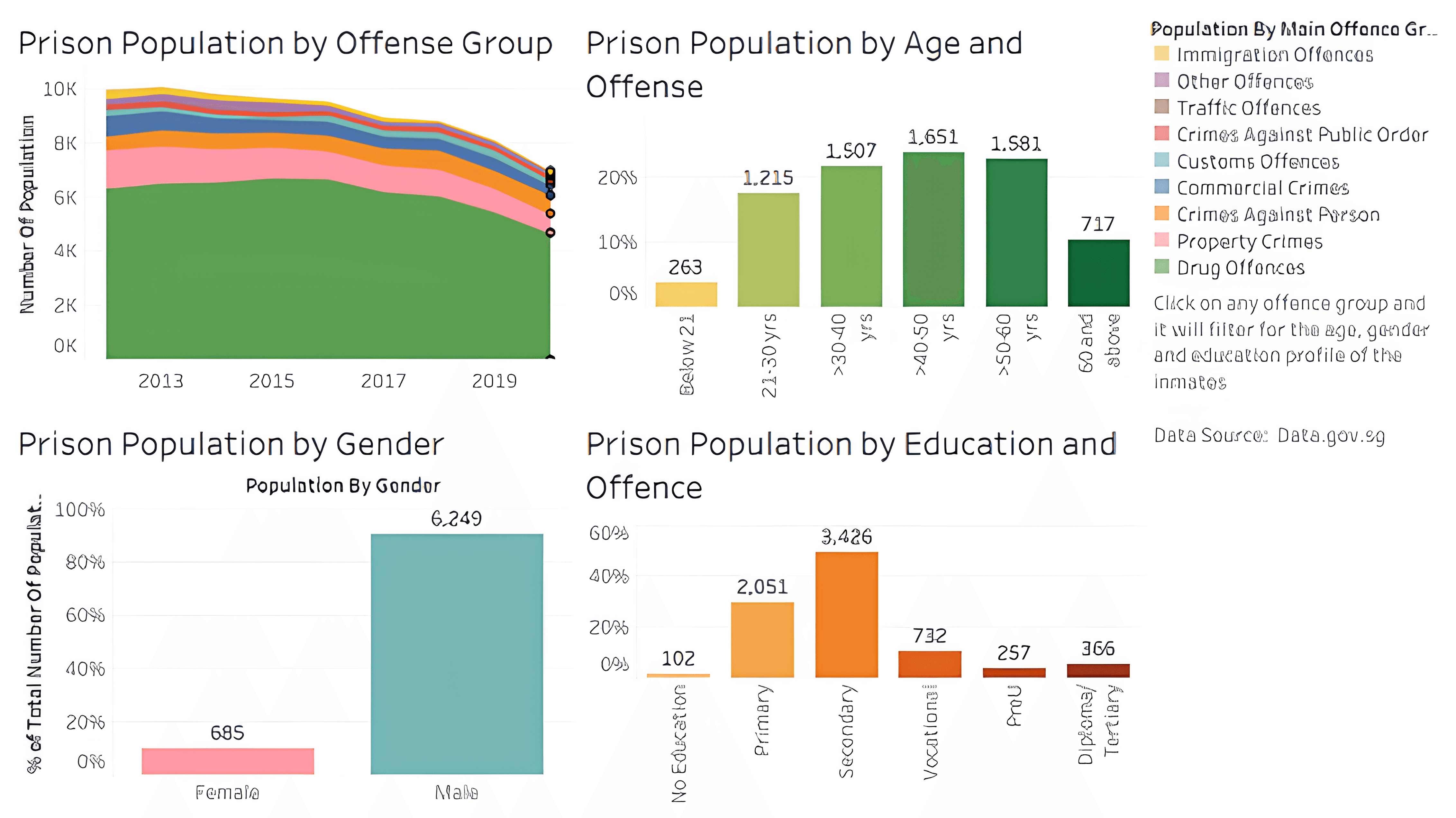
According to the statistics, most incarcerated individuals in Singapore are men aged 30 to 60 with lower educational backgrounds. Those over 50, in particular, face challenges such as deteriorating health, higher risks of depression, and the responsibility of supporting their families while enduring societal stigma.
Support for five key areas: Family, Employment/Education, Pro-social Peers, Pro-social Activities, and Spiritual & Mental Well-being.
A matching system connecting mentees with mentors through agencies/support groups.
Both mentoring and non-mentoring activities.
Advertisements from verified mentors and PIE mentees only.
User persona
Empathy map
Experience map
*Note: User personas help me understand the common needs of each individual. The empathy map helps me uncover what each individual hears, thinks, feels, and sees in their environment regarding their condition as marginalized people. Finally, the experience map helps me understand their feelings and thoughts, from before they went to prison to when they seek new opportunities.
Personalized content resources based on user preferences
More detail for employment support including resume review
Advance community chat to support large users needs
Card sorting
User flow
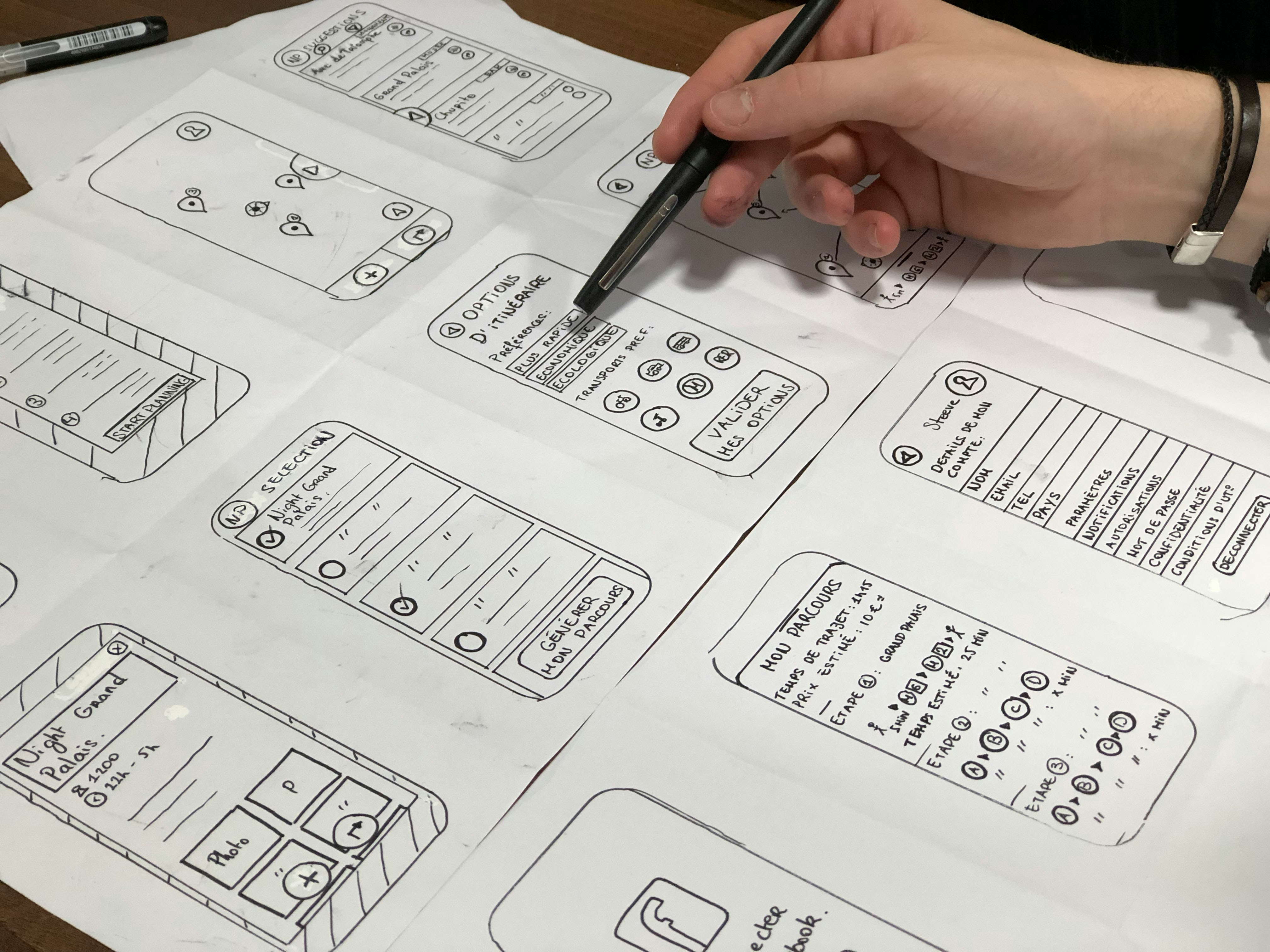
Sketch


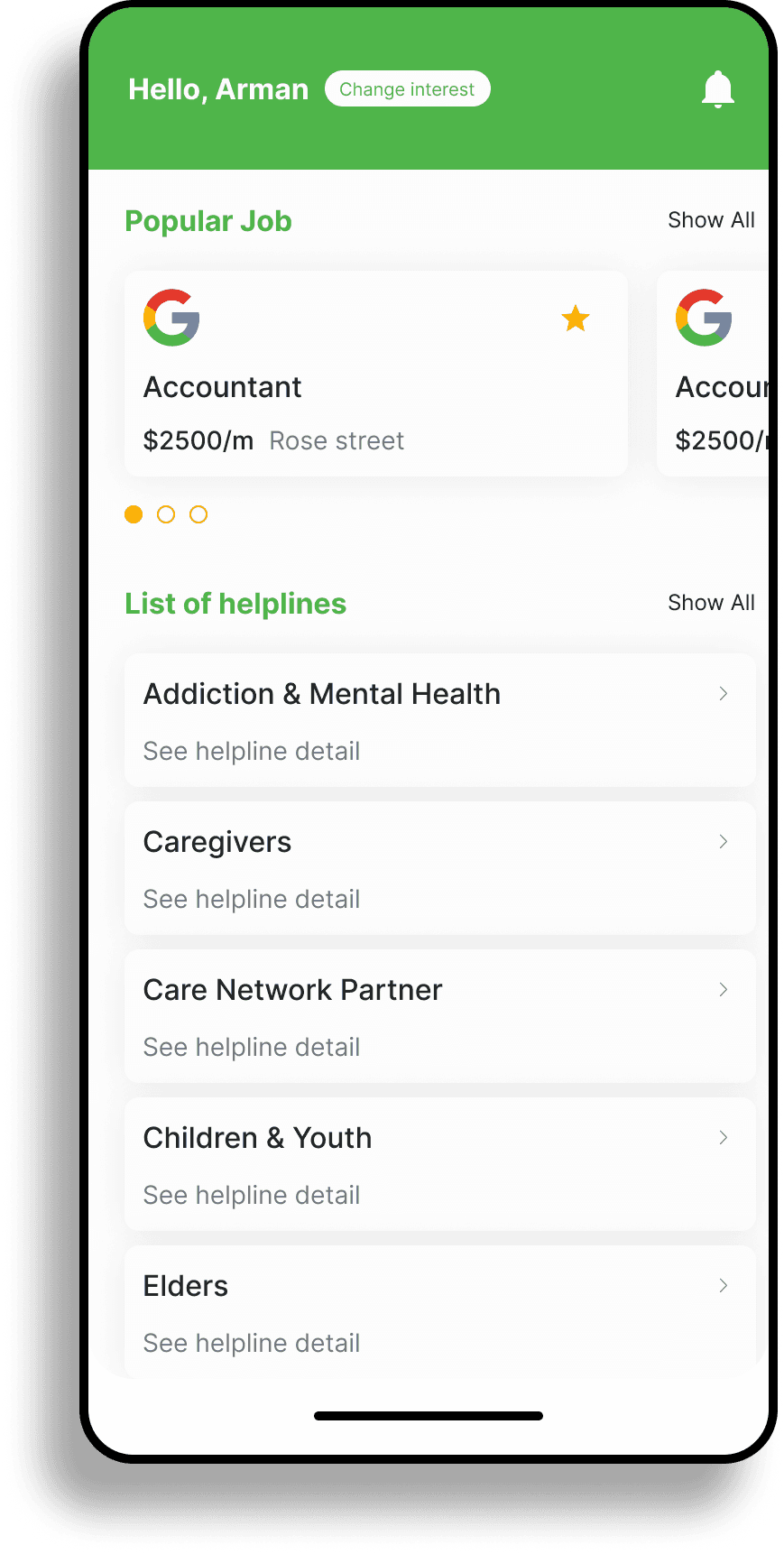
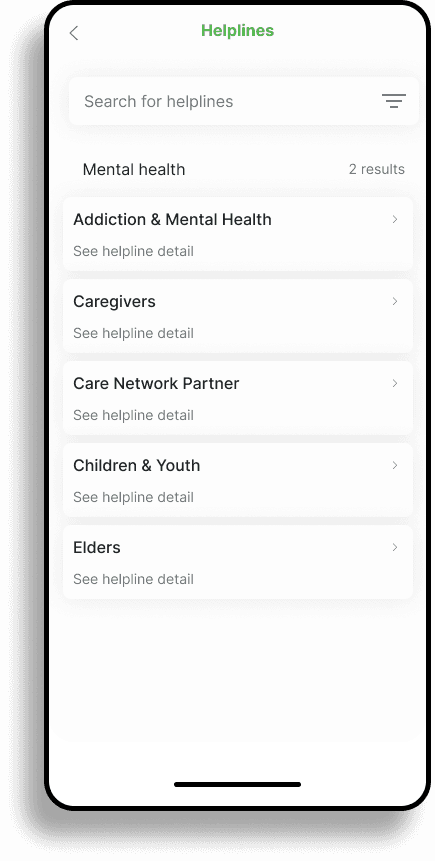
List of helplines feature
Feature from: Feature identified from the brief
What key objective has been achieved?:
Reduce social stigma
Matching system
Mentoring
Advance community
Personalized content
The screen displays all the helplines available across Singapore, allowing users the freedom to choose the ones they need. These helplines offer a range of support, including contact information, community connections, skill development, and mental health resources, all aimed at boosting user confidence.
Content based on user preference
Feature from: Feature identified after conducted UX research
What key objective has been achieved?:
Reduce social stigma
Matching system
Personalized content
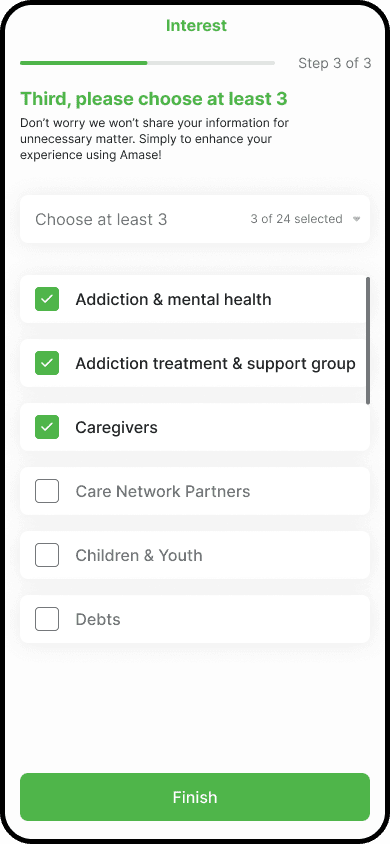
The screen displays mobile app content tailored to the user's preferences, which are determined by options selected during the splash screen setup.
Resume review
Feature from: Feature identified after conducted UX research
What key objective has been achieved?:
Reduce social stigma
Mentoring
Resume enhancement
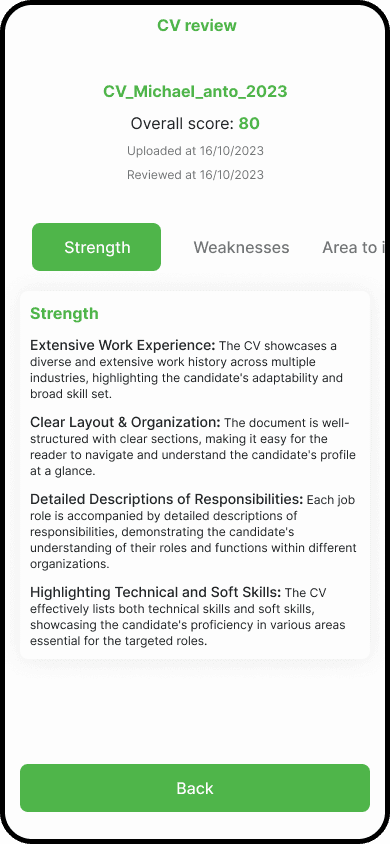
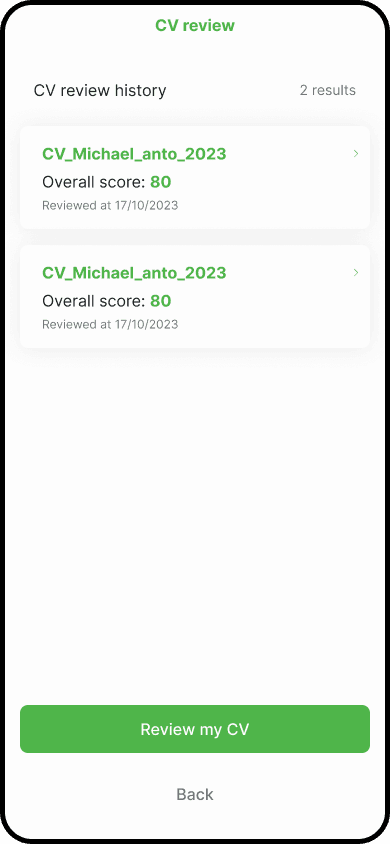
The screen features a resume enhancement tool that collects feedback from professional employers, helping users develop a stronger, more polished resume to apply for their desired jobs.
I created a full prototype based on my figma design mockups and documented detailed objectives for the usability test, covering the required features identified through my research. I prepared supporting tools for usability testing, including google Meet, google forms, and google docs. I selected five users from each group: prisoners, the elderly, and individuals with disabilities. For measurement, I utilized the System Usability Scale (SUS).
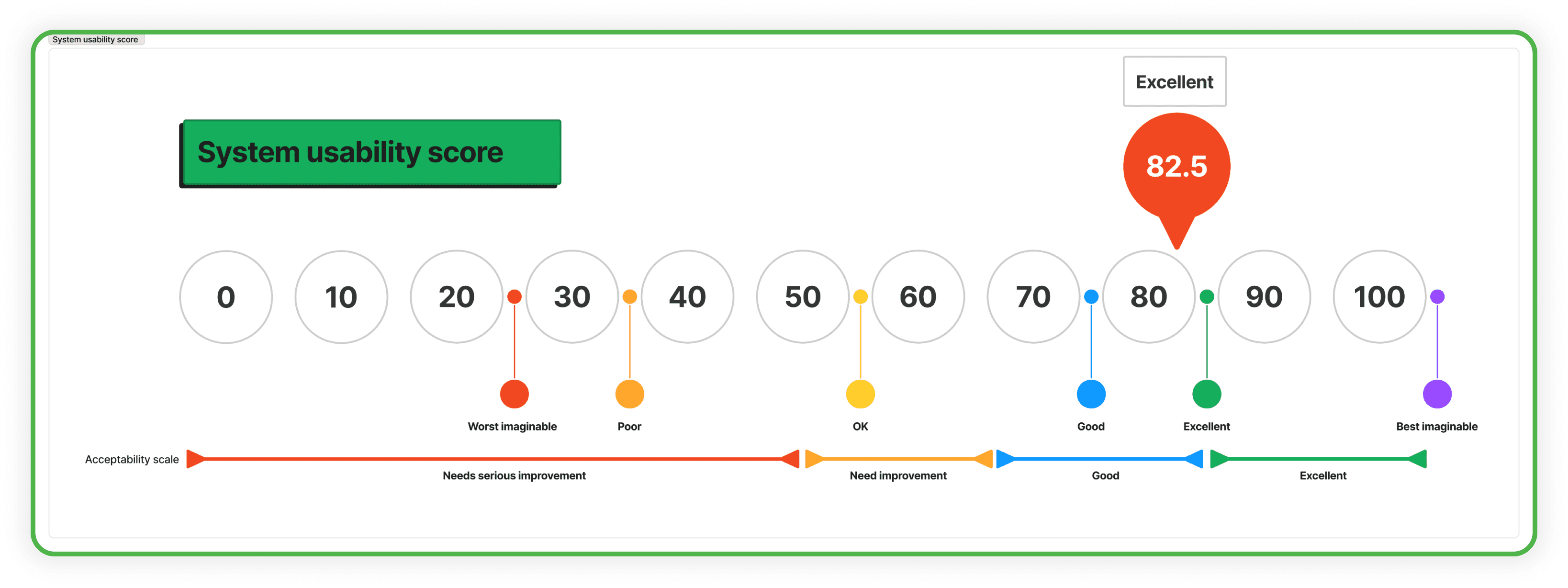
Overall average SUS score across all test flows: 82.5
This indicates that overall, users find the system quite easy to use, useful and satisfying.
Some areas for improvement based on user feedback::
Increase size of form input fields
Provide examples and tips for filling out forms
Clearer instructions in profile and registration forms
Fostering community and support:
Community Building: Insights into how users interact with community features (e.g., forums, messaging) can help in fostering a supportive and active community within the app
Support Needs: Identifying common issues or support requests can guide enhancements in user support and educational resources.
Improving user retention:
Retention Strategies: Analyzing user retention rates helps in identifying successful strategies and areas where users might drop off. This can guide the development of features or content that improve retention.
Onboarding and Engagement: Assessing the effectiveness of your onboarding process and initial user engagement can help refine these elements to better support new users.