UX designer
Dashboard
UI designer
Human resource
SaaS
Figma
September, 2024 - January, 2025
Today, 77% of employers struggle to fill roles due to a lack of suitable talent, driving up the average hiring cost to $4,700. But it's not just the money—time, opportunities, and potential are slipping away.
HR teams face three critical challenges:
Application overload: Sifting through a flood of resumes, risking top talent getting overlooked.
Skill mismatch: Finding candidates with the right skills for ever-evolving roles.
Verification issues: Ensuring the authenticity of qualifications and experience.
The real cost of a bad hire is more than financial—it’s lost opportunities and wasted time.
We at Optimasi.ai provide a comprehensive SaaS HRD dashboard. The SaaS HRD Dashboard is a recruitment platform designed to streamline the hiring process for HR teams. It addresses key challenges like managing high volumes of applications, skill mismatches, and candidate verification. This tool empowers HR professionals to efficiently identify top talent, reduce hiring costs, and avoid costly bad hires.
Our SaaS HRD dashboard is equipped with a robust set of features designed to tackle the challenges faced by HR professionals in today’s competitive recruitment landscape:
Dashboard for recruiters
AI-powered job description and email generator
Candidate relationship management (CRM)
Resume screening tool
Comprehensive candidate scoring system
Background checking
These features work together to create a seamless, efficient, and effective recruitment process. The Dashboard for Recruiters provides a centralized and intuitive interface, giving HR teams easy access to all recruitment activities in one place. The AI-powered Job Description and Email Generator streamlines the creation of compelling job postings and personalized communication with candidates, saving time and ensuring consistency.
Let's start analyzing the list of features.
At this stage, I am conducting two types of research: generative and descriptive. I use generative research to gain a more comprehensive understanding of the features mentioned above by using secondary research methods on the internet. Descriptive research, on the other hand, is aimed at detailing each feature offered by the team and assessing its relevance through user interviews with the relevant HR professionals.
Key finding: HR teams are often overwhelmed by the volume of applications, making it hard to quickly identify top candidates. Inconsistent evaluation processes and time-consuming tasks like crafting job descriptions further complicate hiring. Additionally, concerns over the accuracy of candidate credentials can lead to costly mistakes.
Based on the research I conducted, I will design the dashboard to align with the traditional recruitment process, incorporating features that are relevant to users' needs as identified by management, as well as new features that users require.
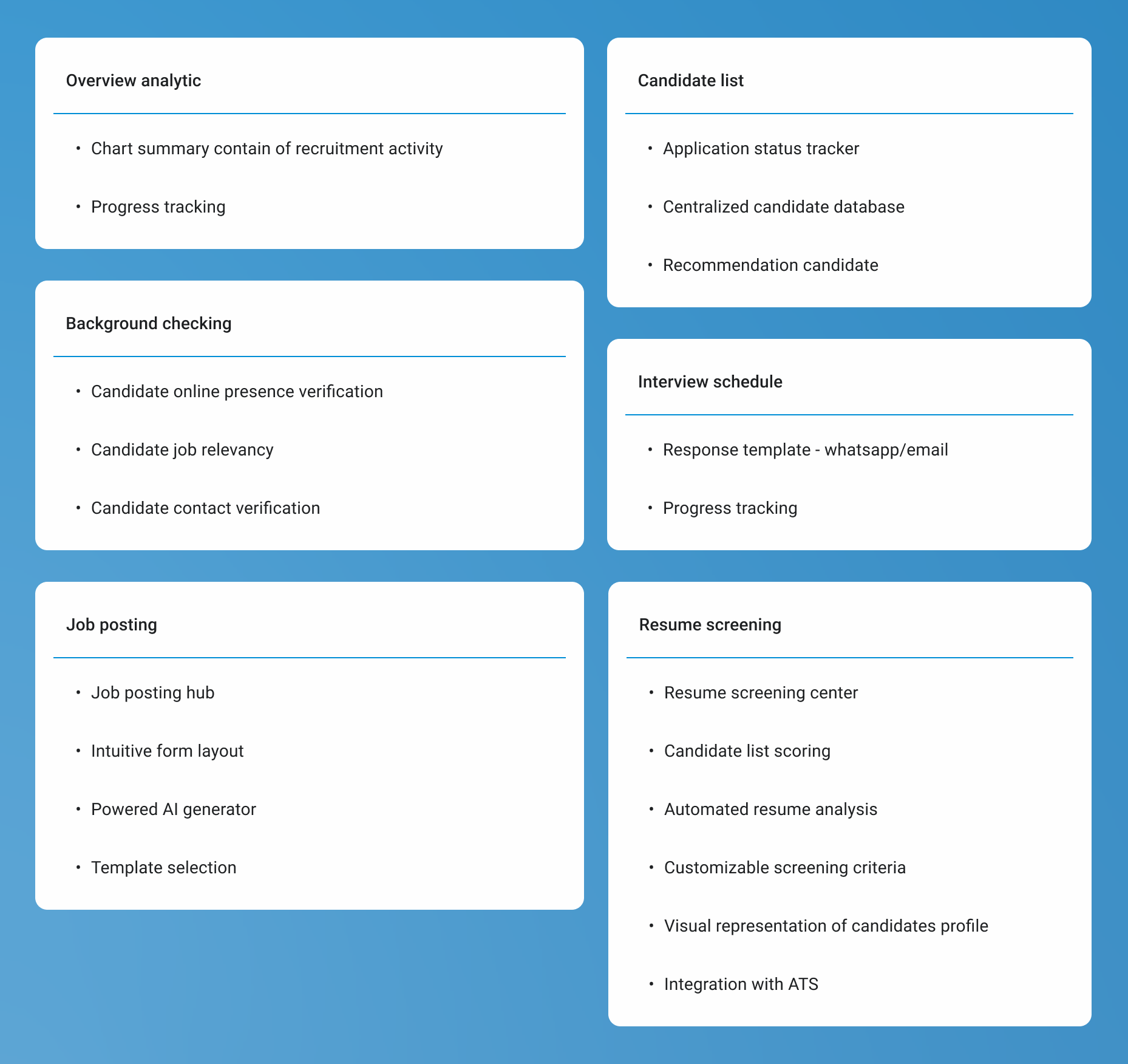
Clustering information
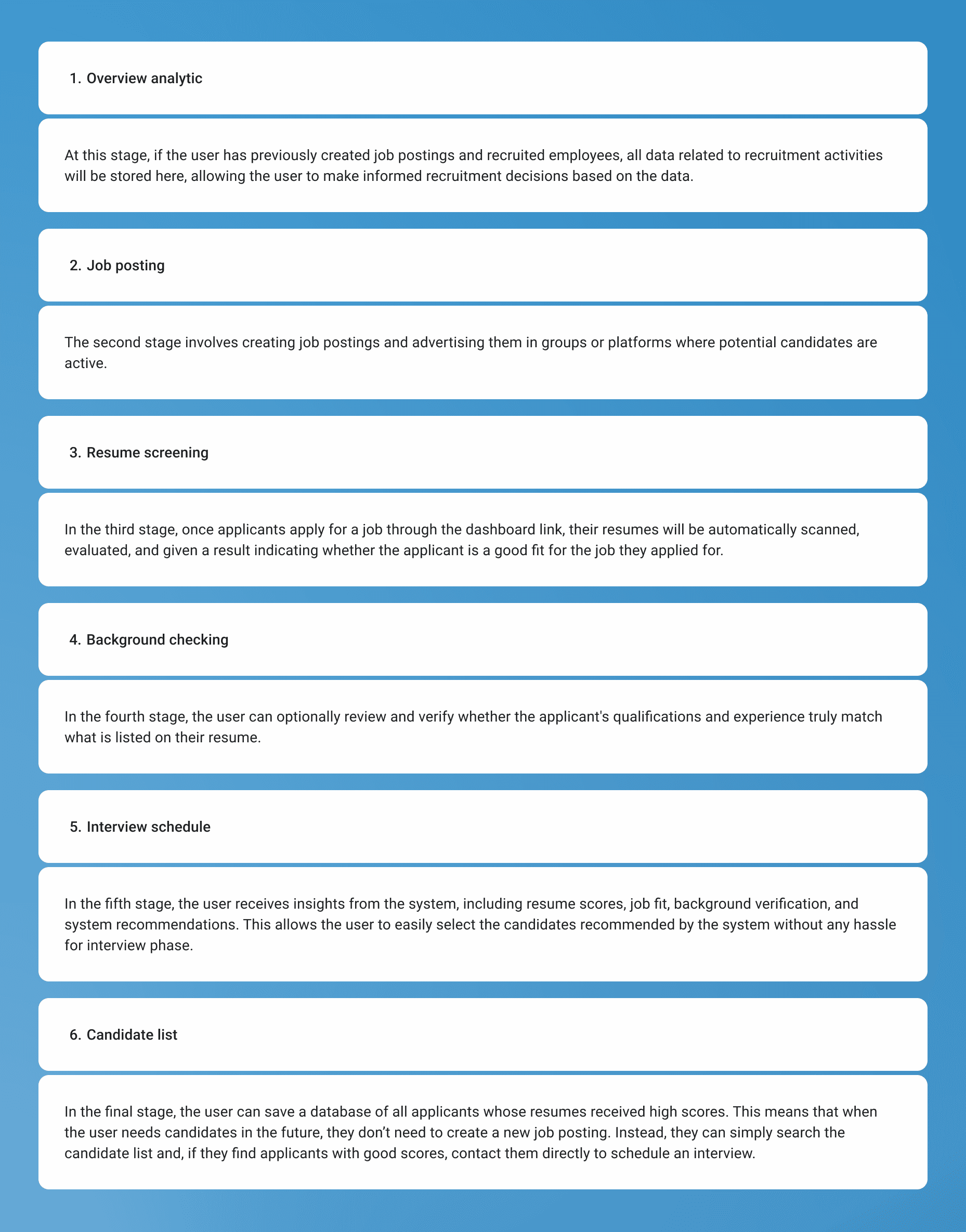
User flow
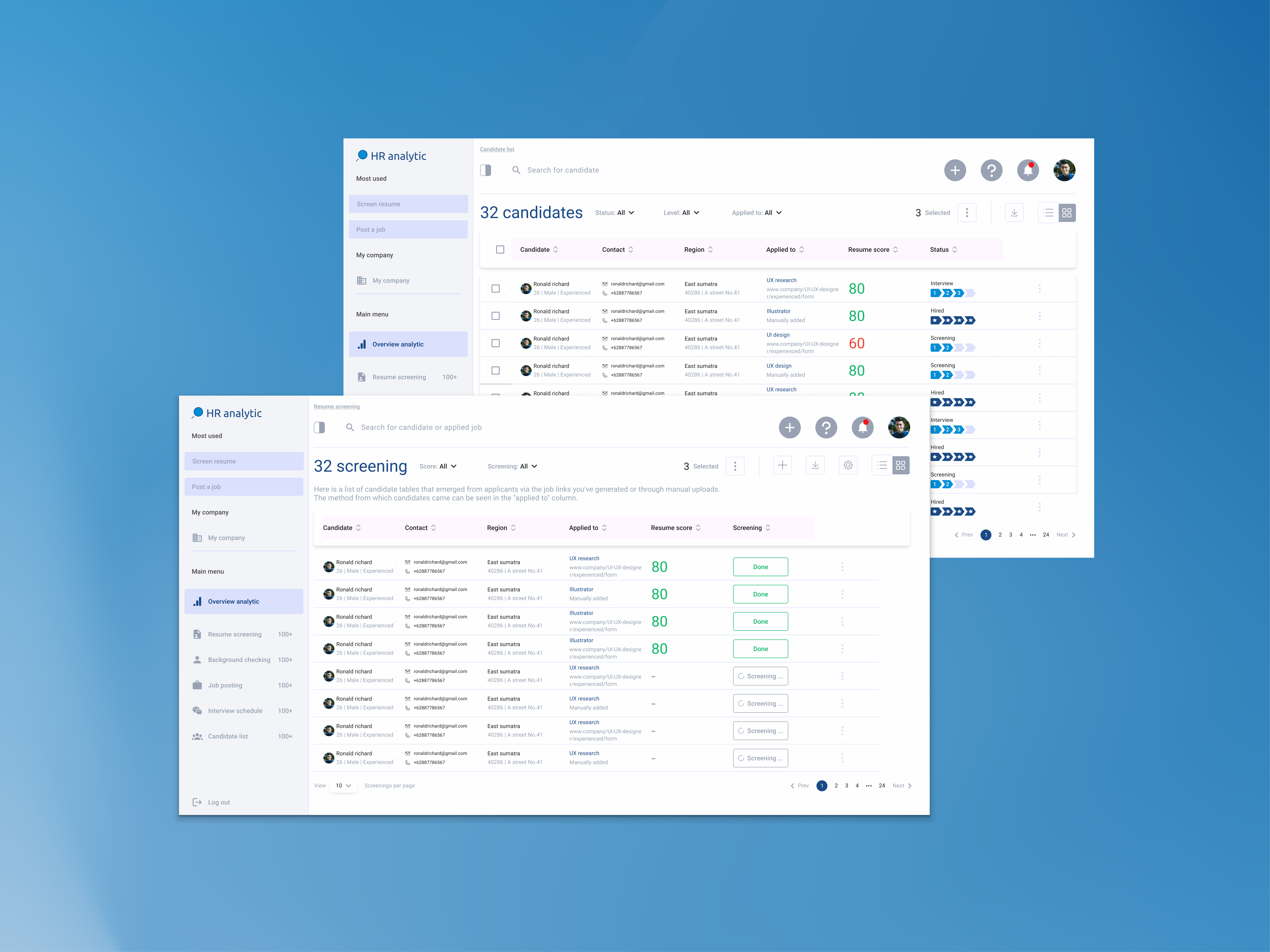
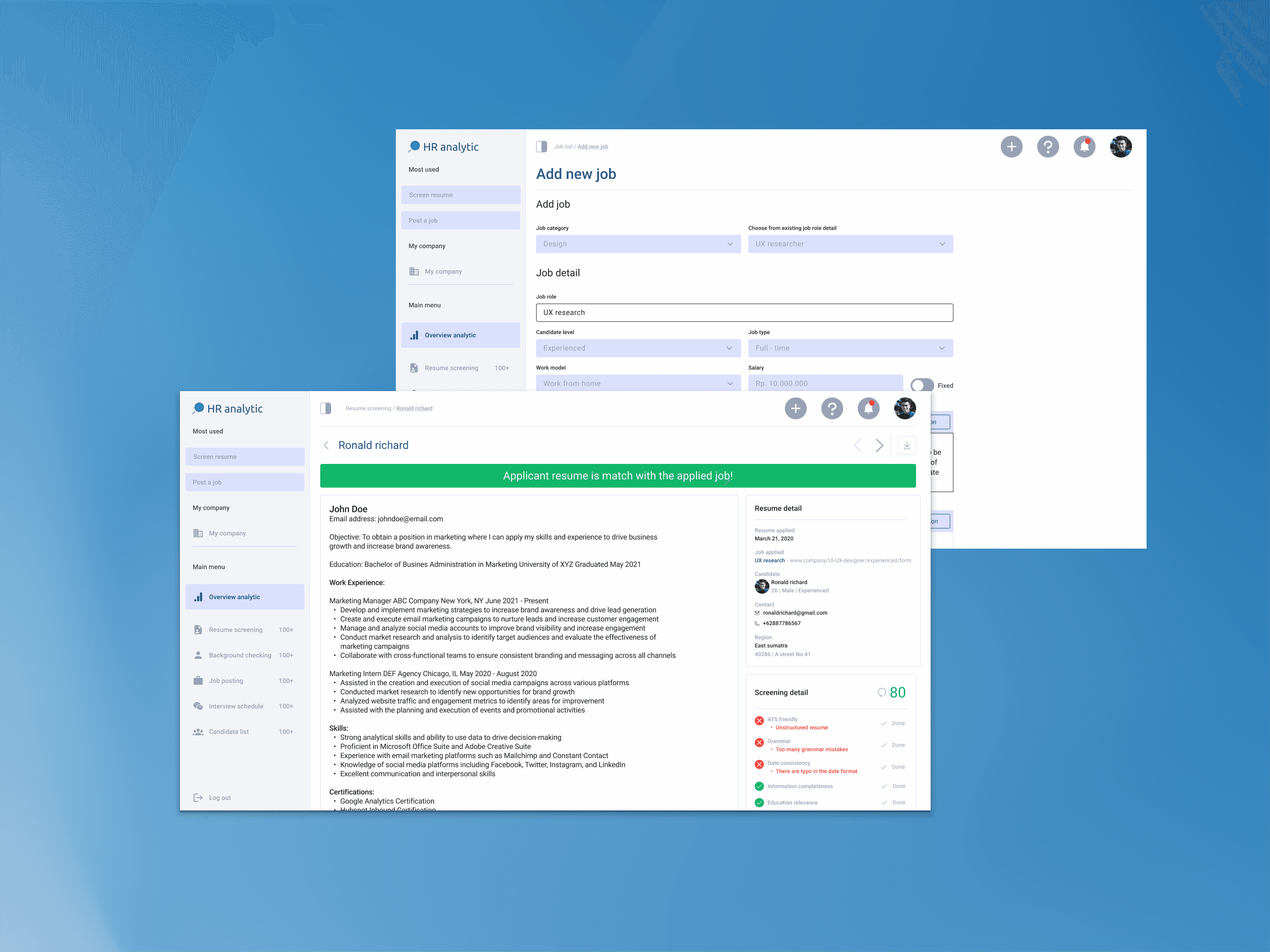
I went through several design iterations until I achieved a design that met the needs of both the users and the team. Below are two examples o my design iteration
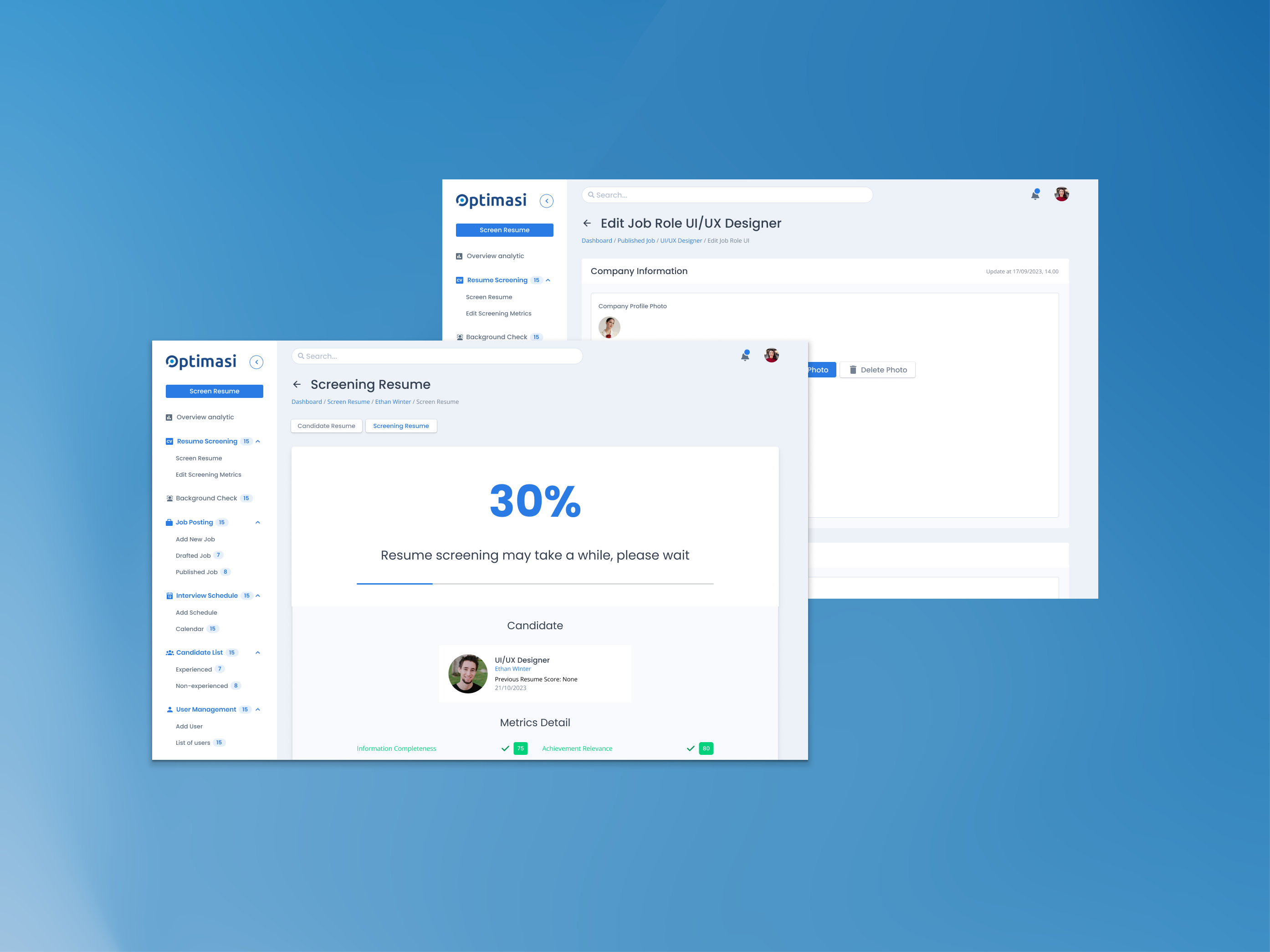
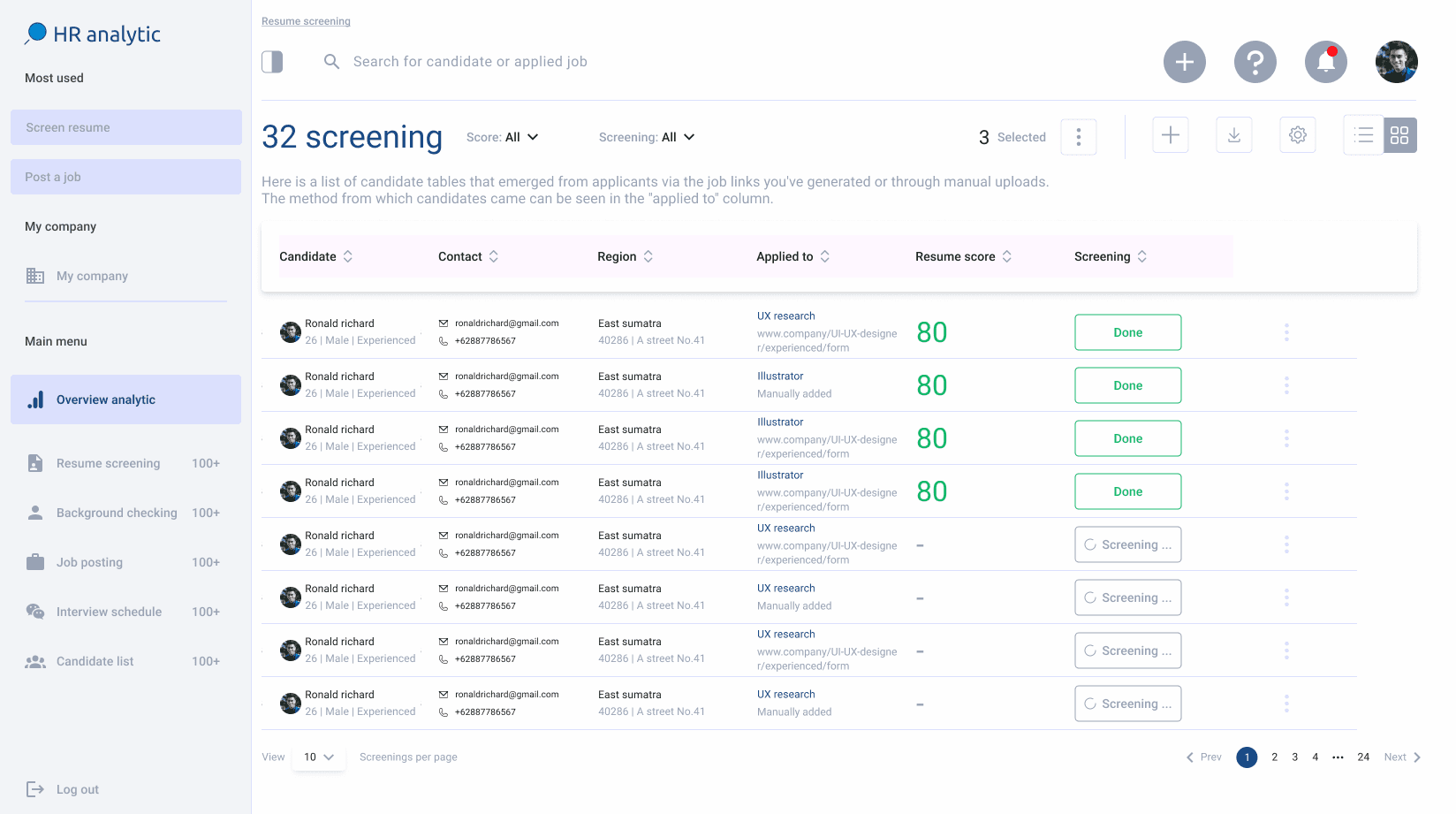
Resume screening
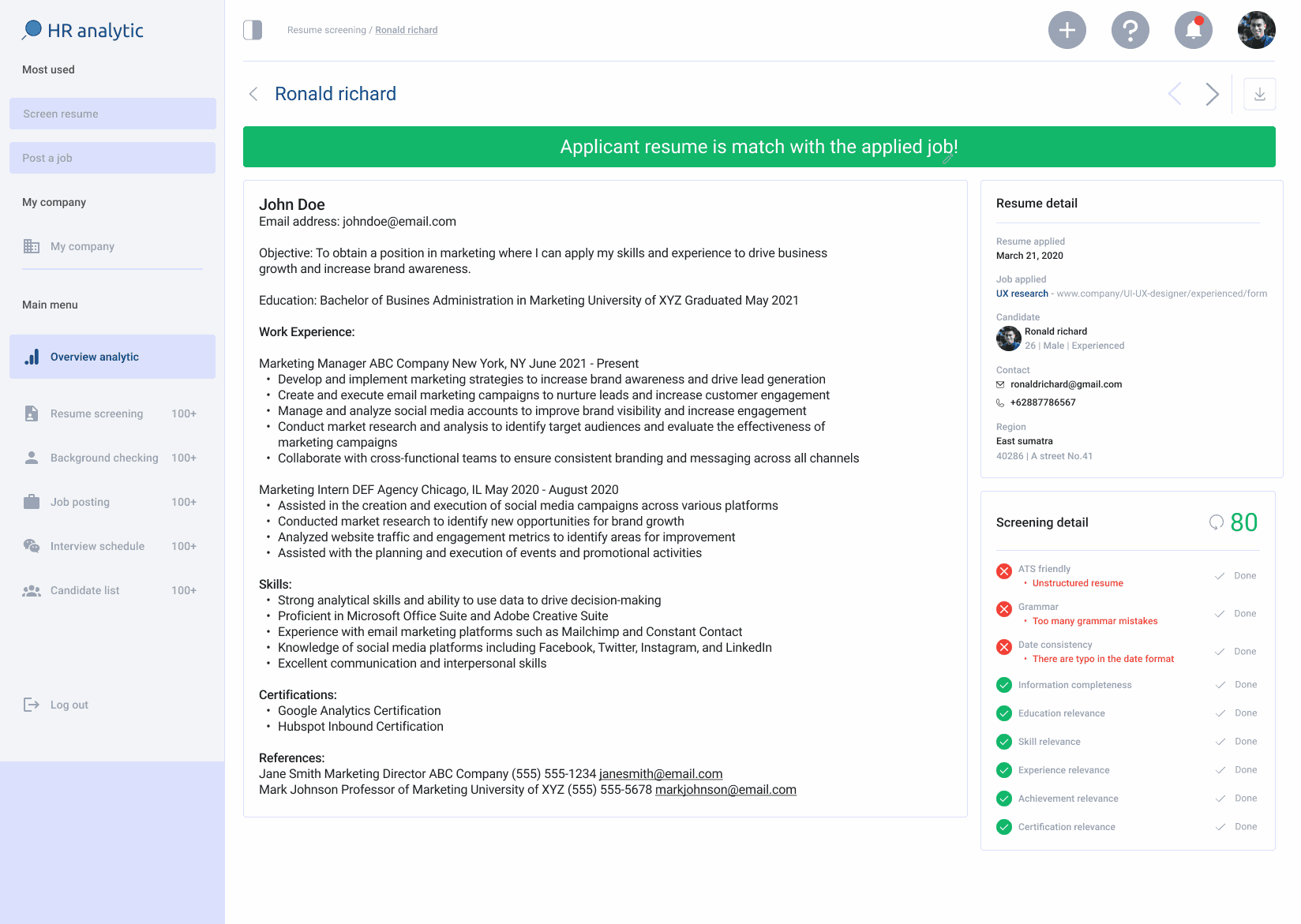
In the resume screening process, users will receive results both from applicants who apply via the landing page—where their Resumes are automatically scanned by the system—and from Resumes that can be manually scanned by the user, either individually or in bulk.
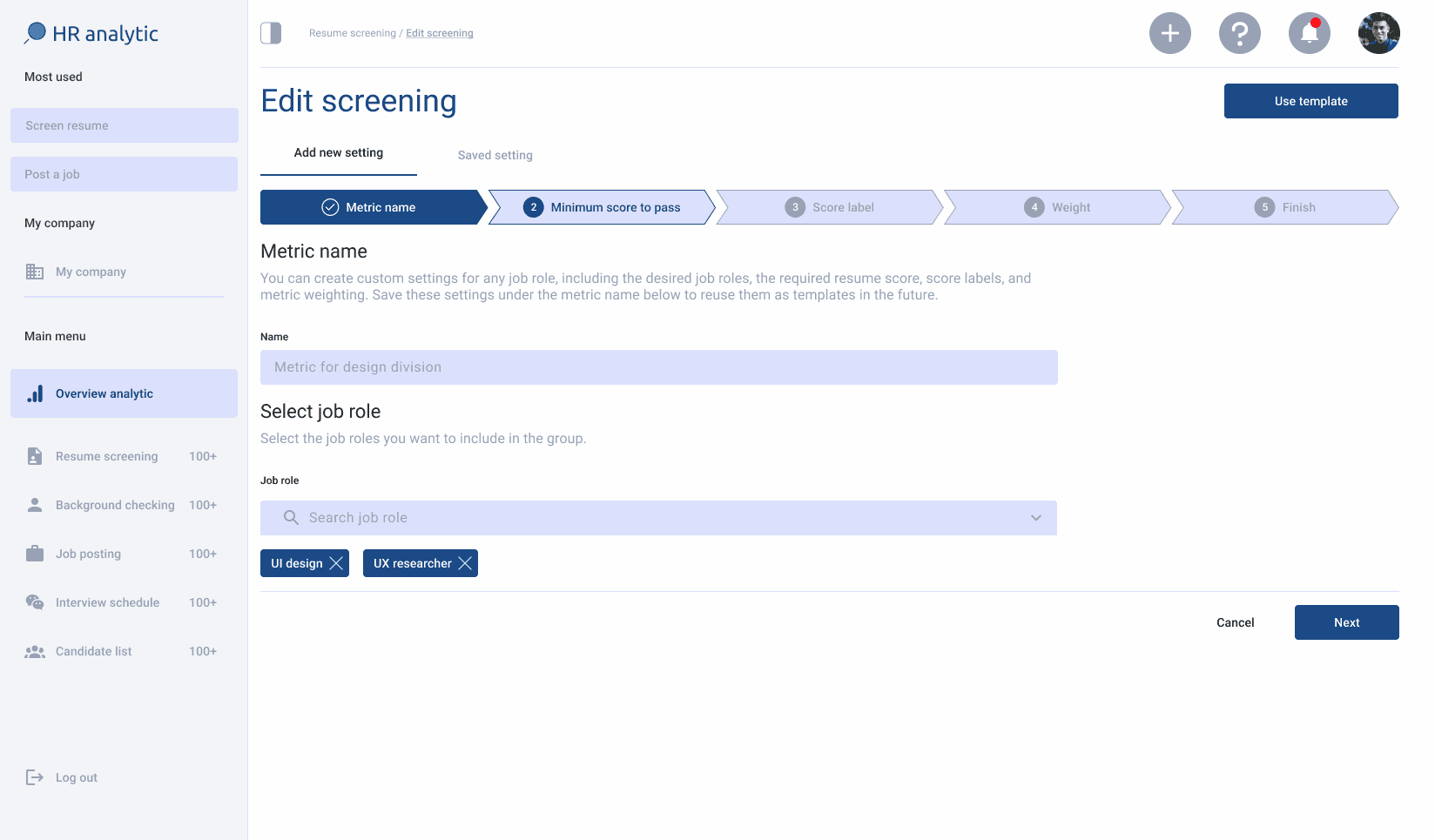
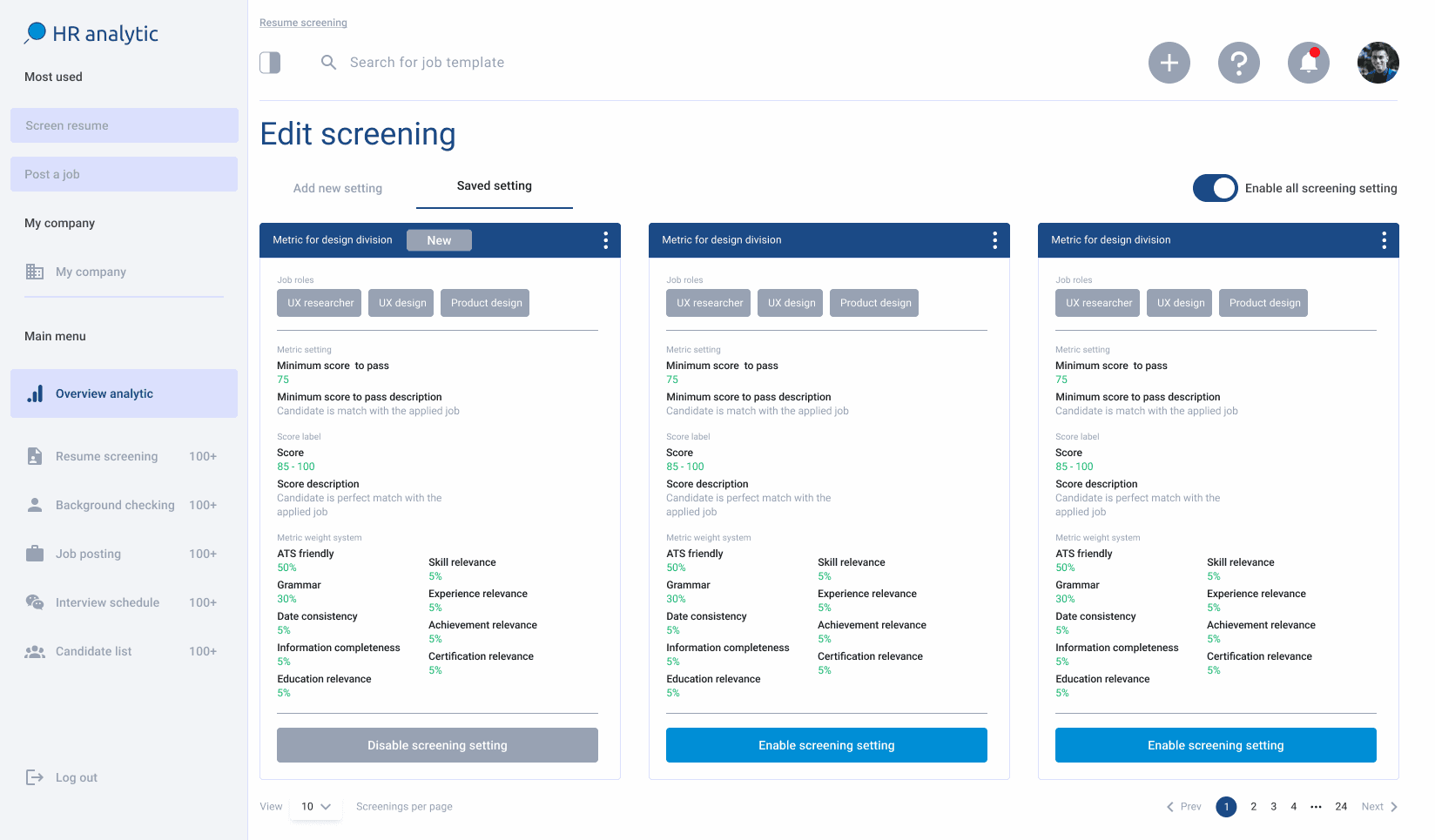
There is also a comprehensive and intuitive resume screening parameter customization menu, making it easy for users to understand its purpose immediately.
What key objective has been achieved?:
Dashboard for Recruiters
Candidate Relationship Management (CRM)
Resume Screening Tool
Comprehensive Candidate Scoring System
Recommendation candidate
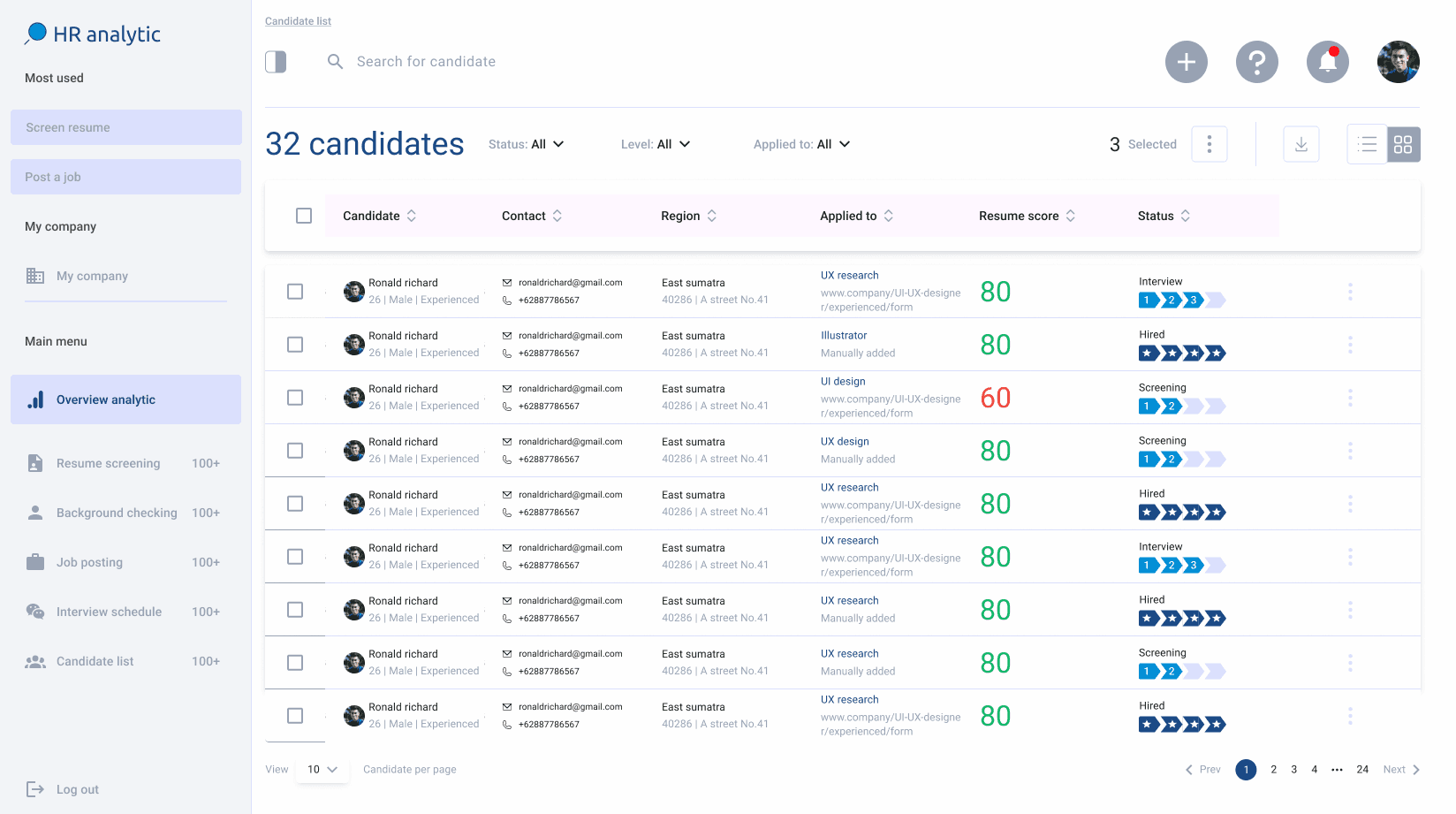
Candidate list
The candidate list functions as a database that stores all candidates who have passed resume screening and undergone background checks, making them ready to be selected by the user for the interview process or even directly hired.
What key objective has been achieved?:
Dashboard for Recruiters
Candidate Relationship Management (CRM)
Comprehensive Candidate Scoring System
Recommendation candidate
Response template - whatsapp/email
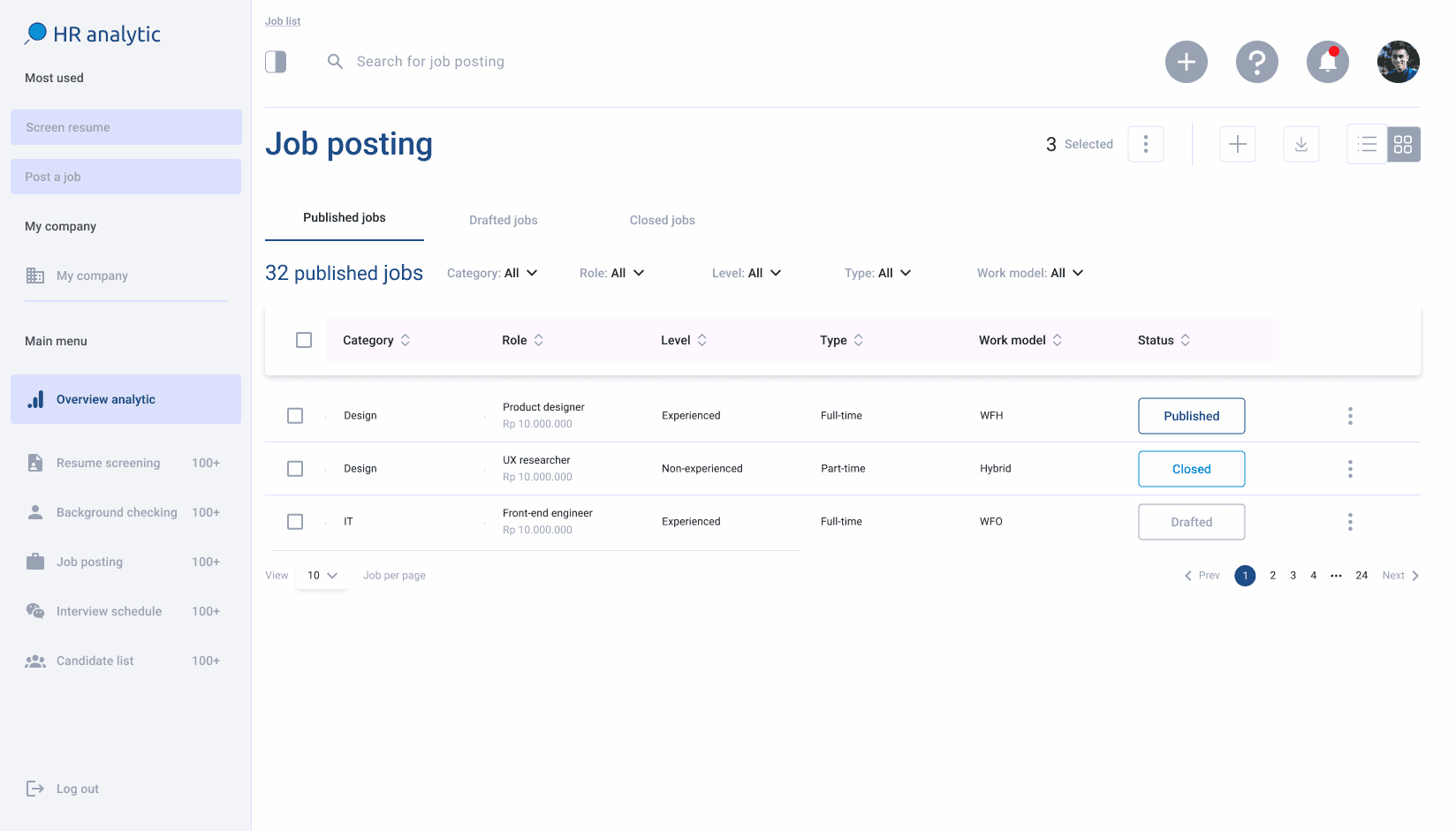
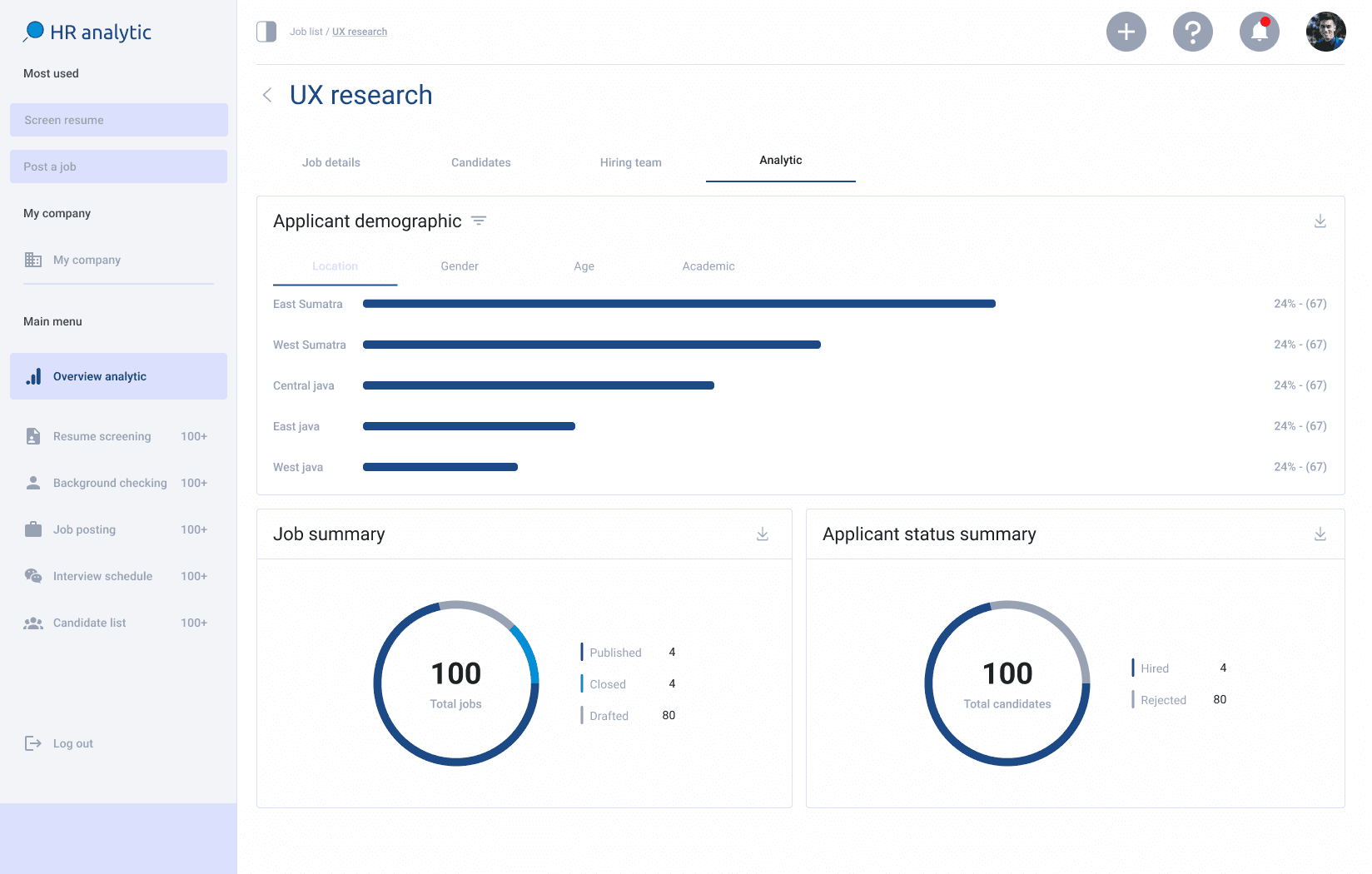
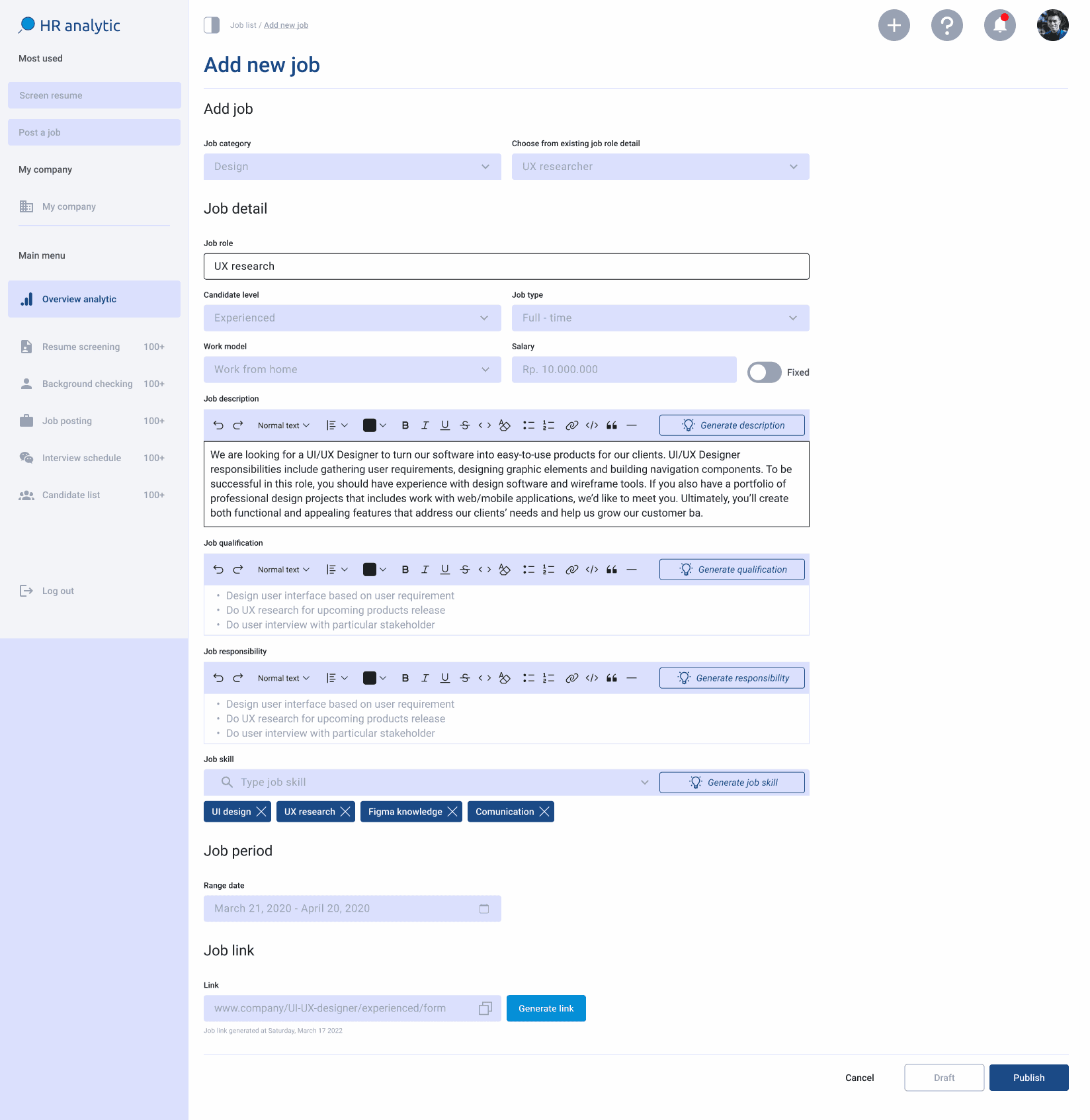
Job list
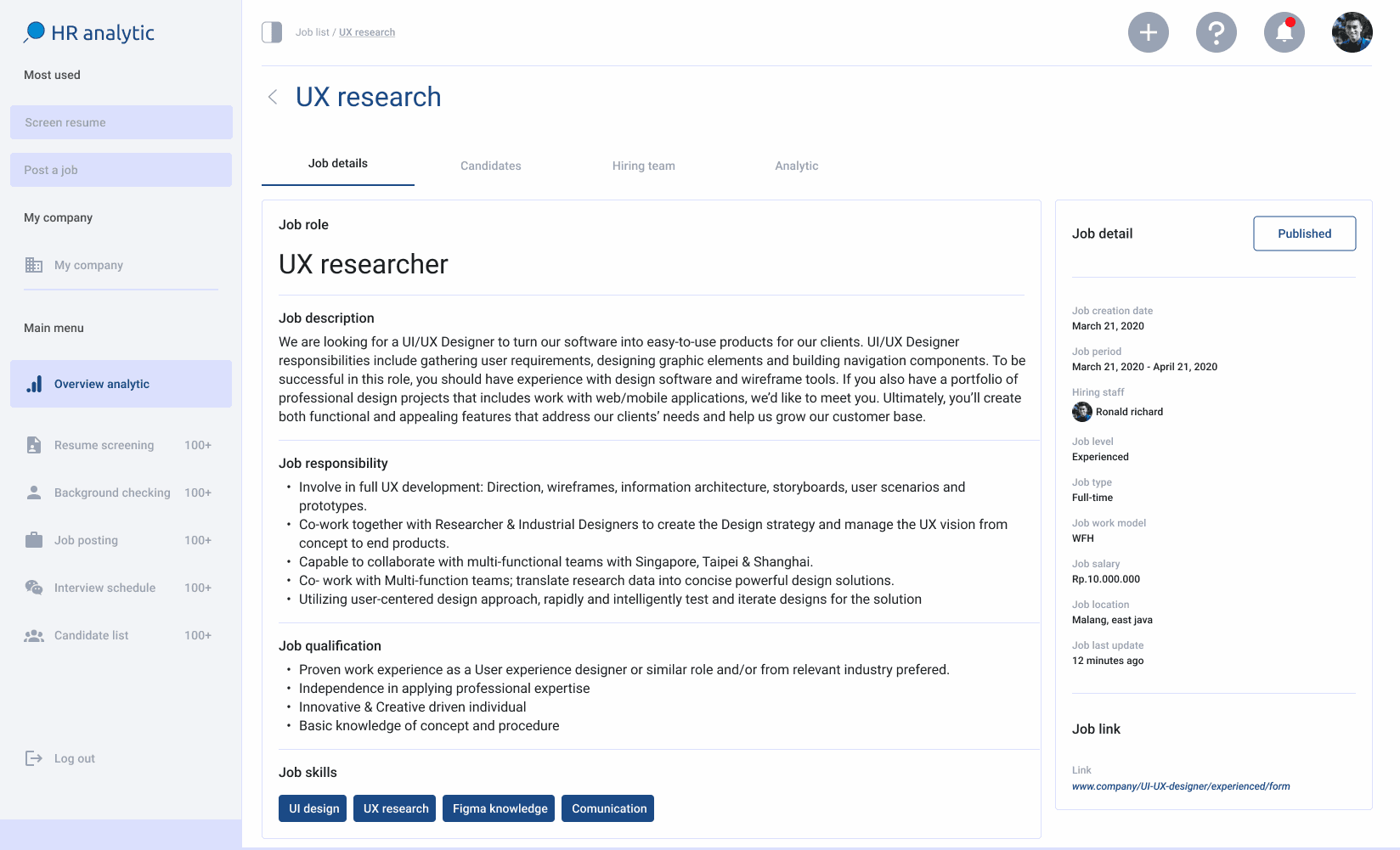
Job posting includes a list of jobs that have been created along with basic CRUD operations for jobs, and categorizes them into published, drafted, and closed jobs. 'Published' means the job is live and visible to applicants, 'Drafted' means the job has been created but is not yet visible to applicants, and 'Closed' means the job is either closed or has already received suitable applicants.
Additionally, there is a brief analysis of the performance of each job posting.
What key objective has been achieved?:
Dashboard for Recruiters
Candidate Relationship Management (CRM)
Comprehensive Candidate Scoring System
Recommendation candidate
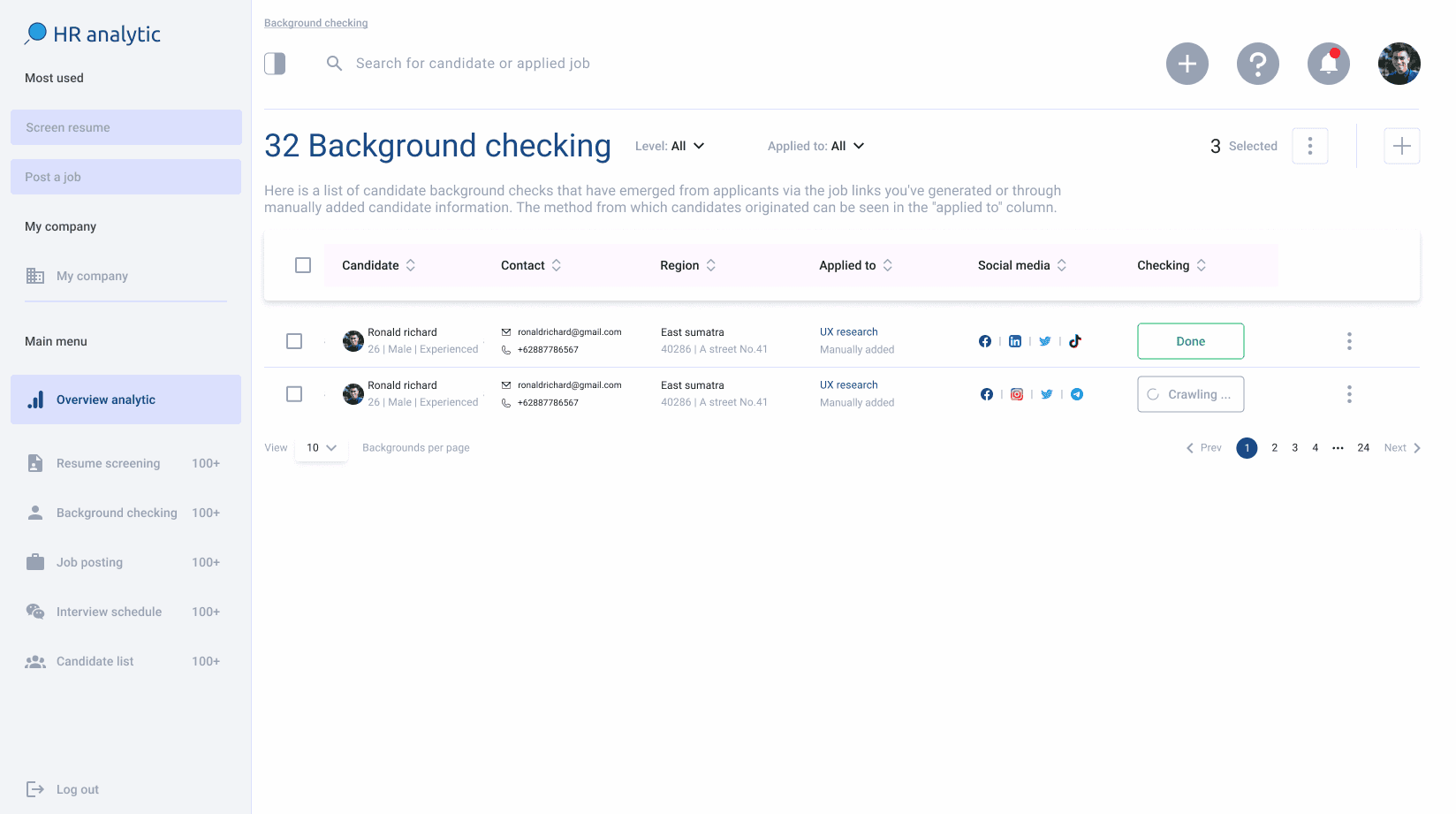
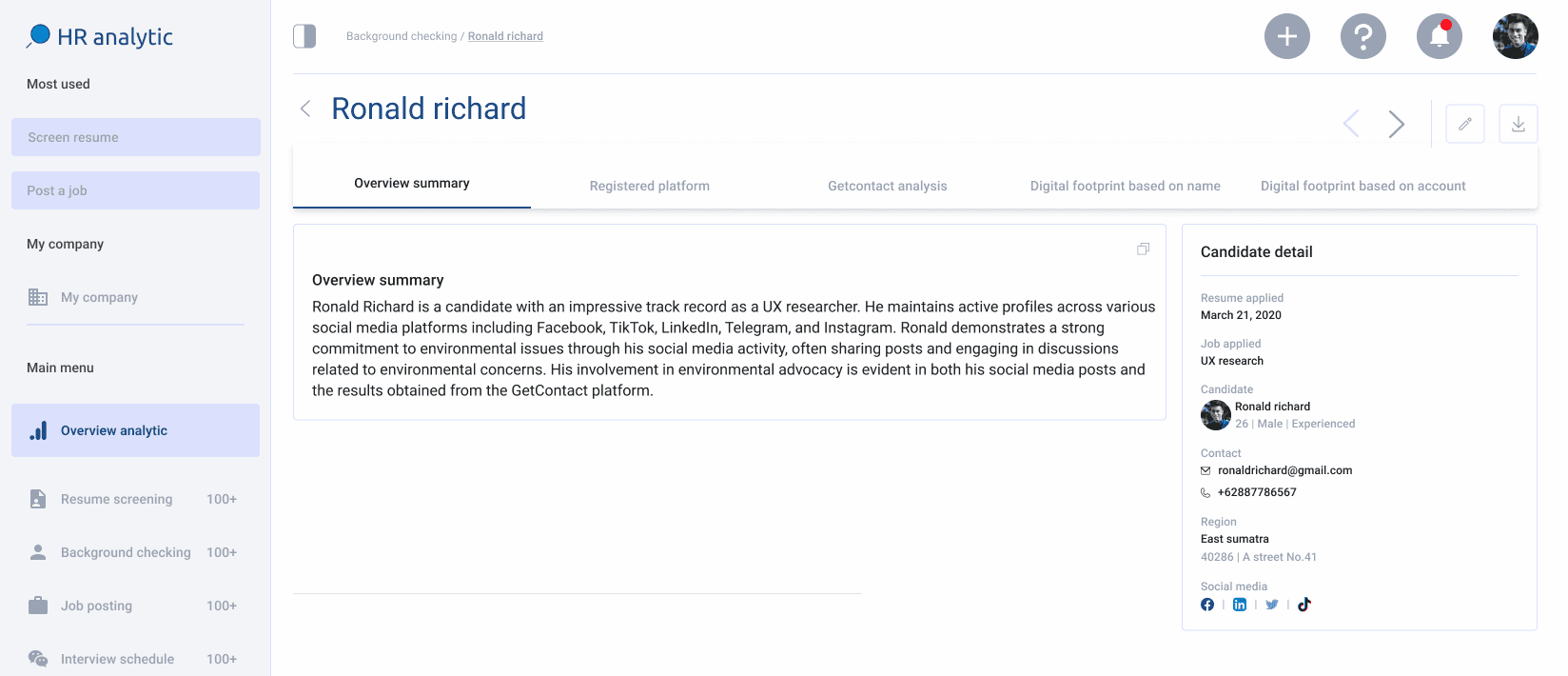
Background check
This is one of the main features, along with resume screening and job posting on the dashboard. Users can check the background and online activity of candidates, particularly on social media. When an applicant submits their resume via the landing page, their background is also verified if they have included their social media accounts in the resume.
What key objective has been achieved?:
Dashboard for Recruiters
Candidate Relationship Management (CRM)
Recommendation candidate
Background Checking
Landing page generate by link
This is a dedicated landing page specifically for the dashboard. On this landing page, there is a feature for parsing resume information, which simplifies the process for applicants to fill in the required information. However, if the parsing fails, applicants can always manually enter the necessary information. There is also an option to provide social media accounts for future background checks.
What key objective has been achieved?:
Resume Screening Tool
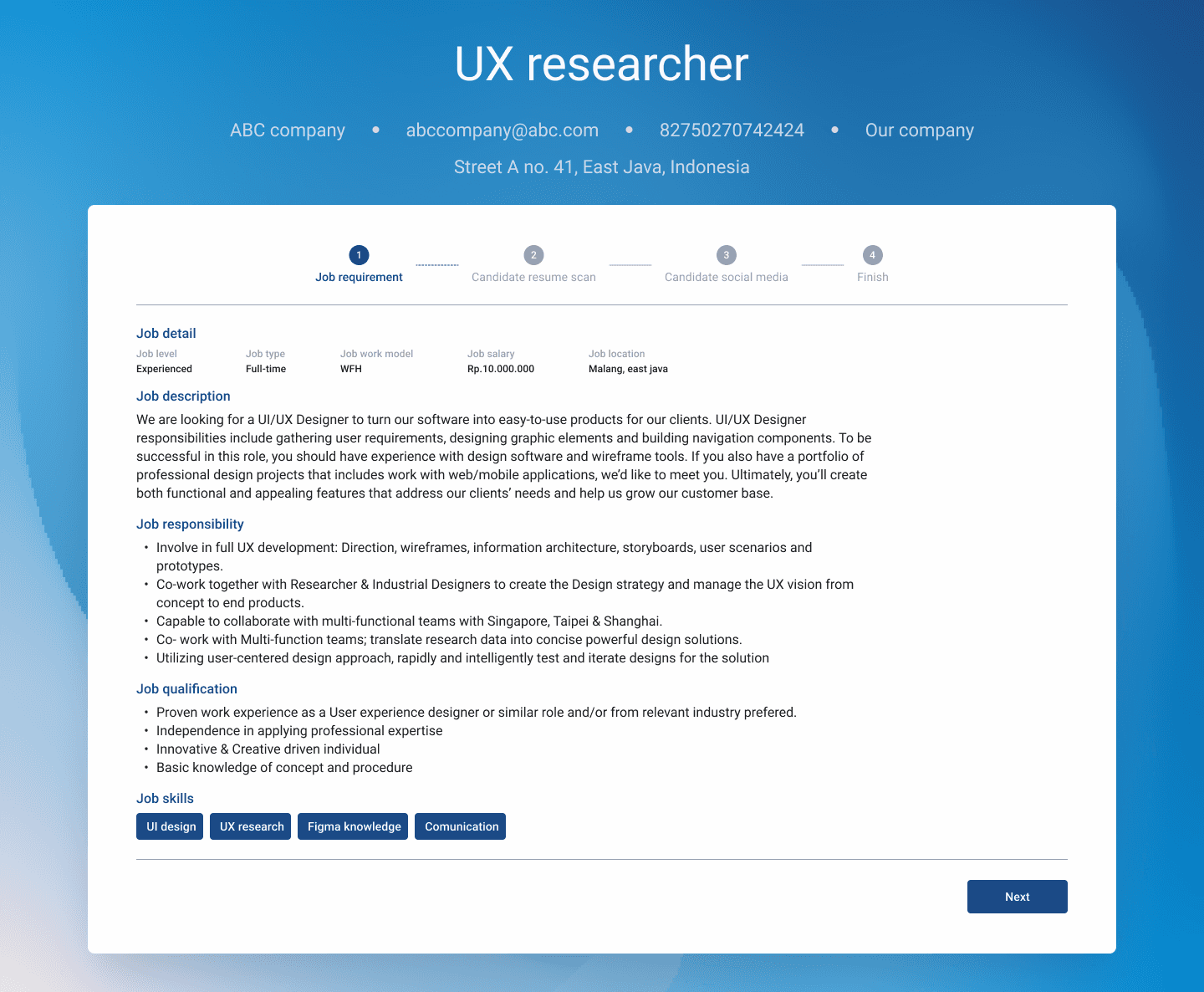
Testing dashboard
I designed a functional prototype using Figma and outlined clear objectives for the usability test. The primary aims were to assess the ease of use of the HRD dashboard, uncover challenges users might encounter, and collect insights for refining the design. I utilized tools like Google Meet, Google Forms, and Google Docs to facilitate the testing process, involving a total of ten participants: five HRD staff members and five HRD heads, representing varied roles and expertise.
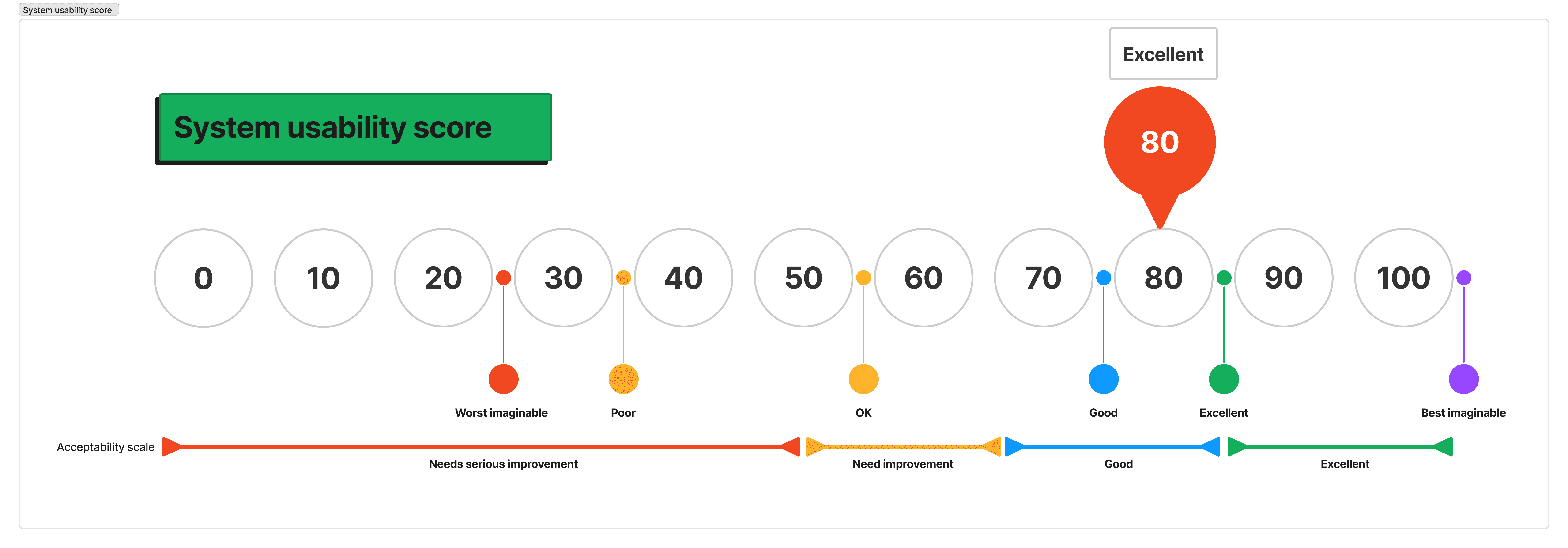
To measure success, I tracked metrics such as task completion rates, the time taken to complete tasks, and error rates. Additionally, I applied the System Usability Scale (SUS) to gain a deeper understanding of the product’s usability. Testing was carried out using a beta version of the dashboard prototype, ensuring a seamless experience with reliable internet access.
System usability score:
The recruitment process is often time-consuming and prone to inefficiencies, from drafting job descriptions to managing applications and conducting interviews. These challenges can lead to missed opportunities and inconsistencies in hiring decisions.
Our SaaS HRD dashboard addresses these issues by automating key tasks and centralizing the recruitment process. Features like the AI-powered Job Description Generator, Resume Screening Tool, and Integrated Scheduling Tool streamline operations, enabling HR teams to efficiently manage recruitment and focus on securing top talent.
In short, our dashboard transforms recruitment into a more efficient and effective process, helping HR professionals hire the right candidates with confidence.
The next step is to continue iterating until the SUS score improves. Once it is stable, I will proceed to the next features that my team and I will work on integration with many job portal platforms and the psychology score feature, to refine the dashboard further.